FlowForge ⚙

One sentence in.
A whole engineering pipeline out.

FlowForge runs your task through specialised AI subagents - plan, analyse, implement, test, debug, ship - each handing the next a focused artifact, with quality gates you approve and a live dashboard you actually control.

iwr -useb https://raw.githubusercontent.com/Eng-MMustafa/FlowForge/main/get.mjs -o "$env:TEMP\ff.mjs"; node "$env:TEMP\ff.mjs"

No npm install, no dependencies, no config. Or run it straight away: npx flowforge-cli

npm dependencies 0 tests license MIT
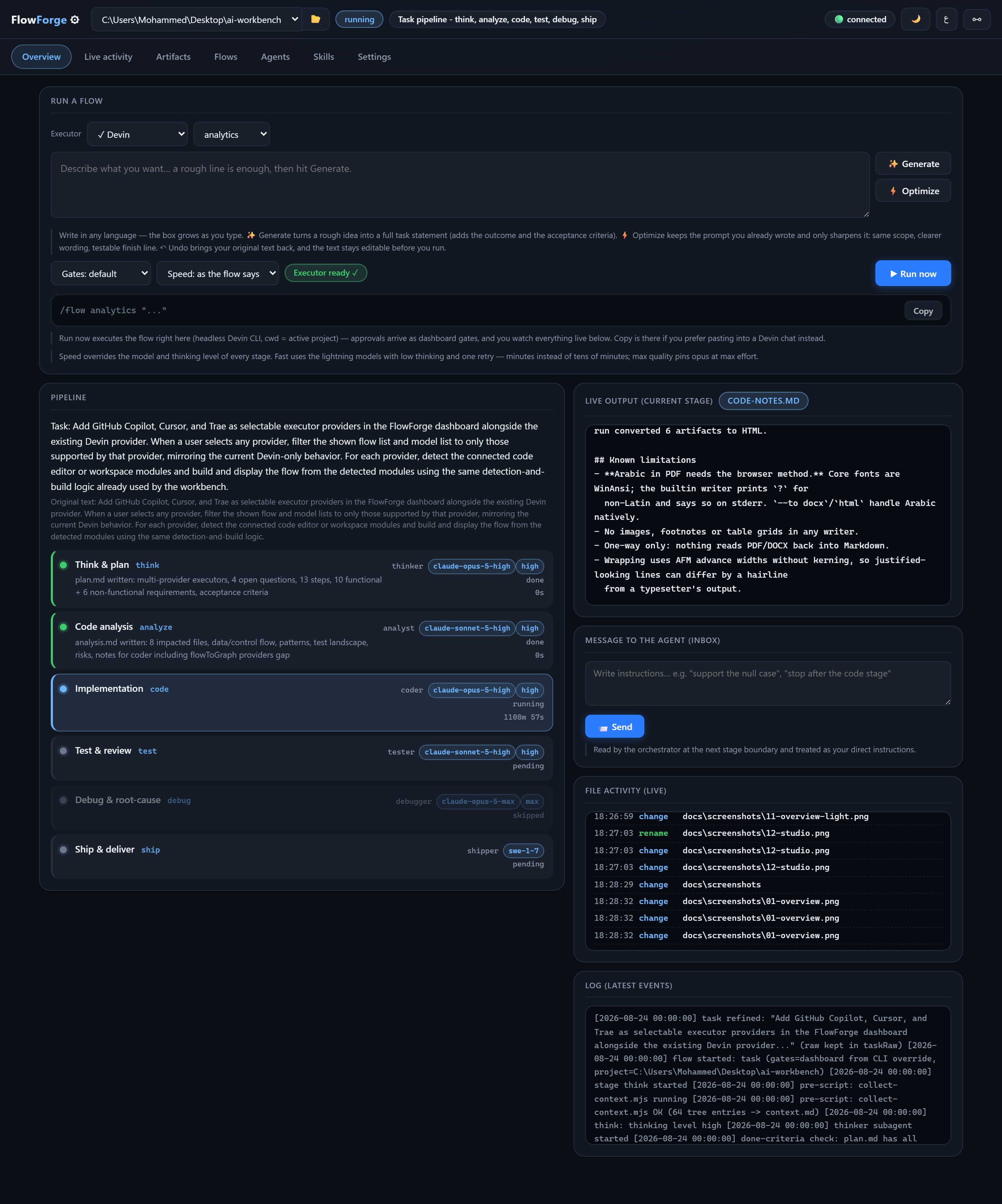
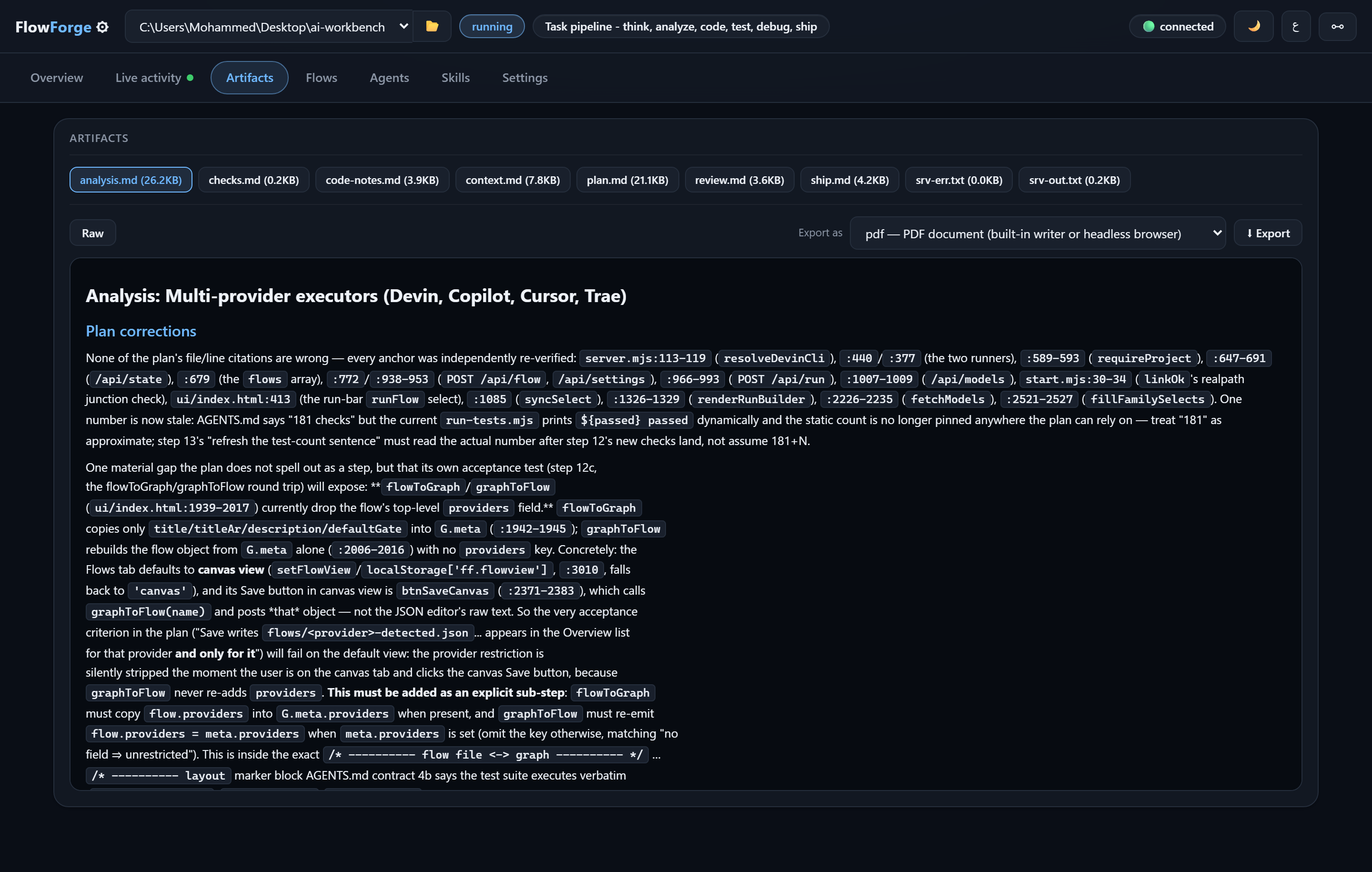
The FlowForge dashboard

How it works

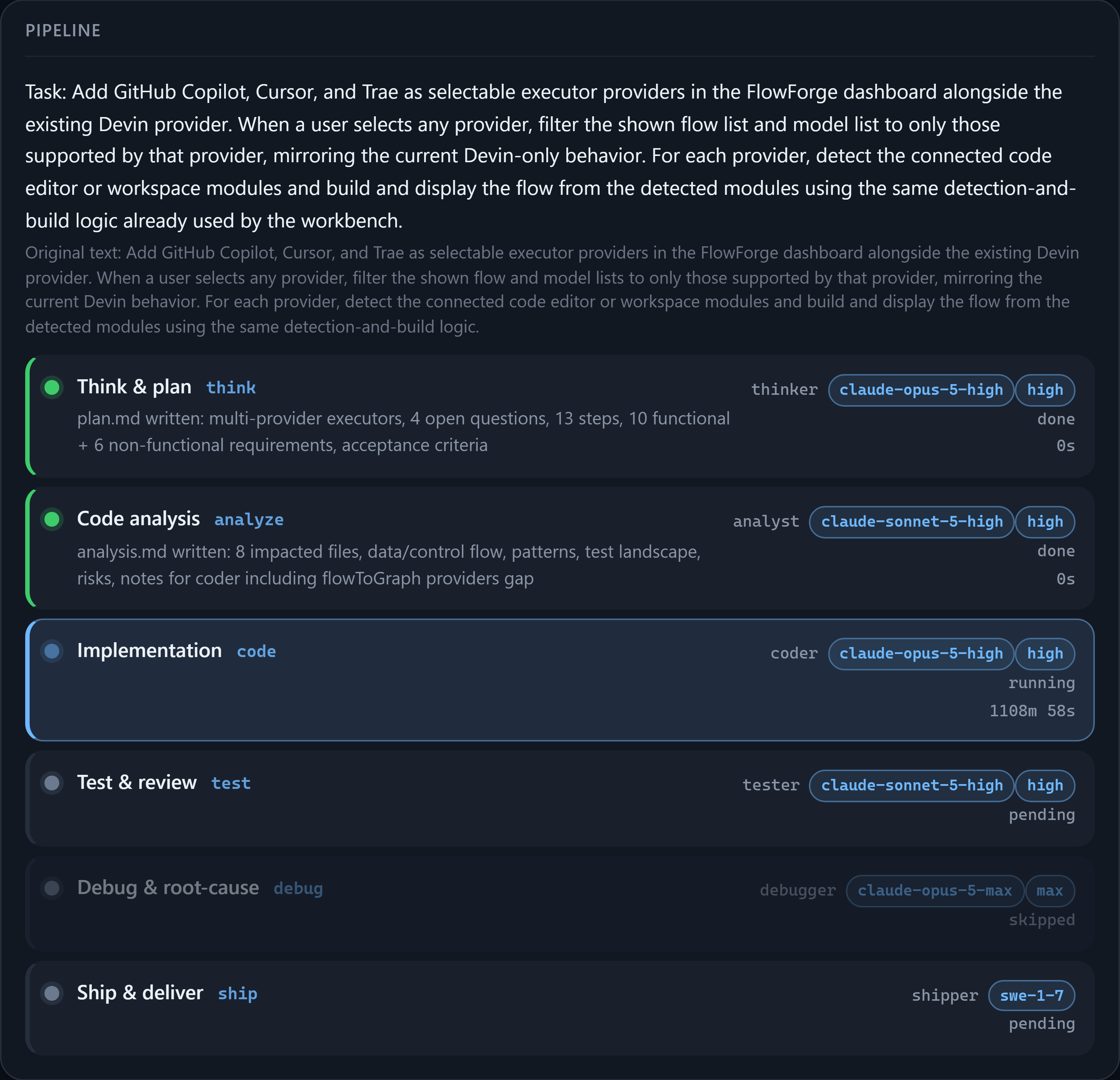
Six roles, one artifact each. Nothing ships until the reviewer writes PASS.

Thinkplan.md
Analyseanalysis.md
Codecode-notes.md
Reviewreview.md
Debugdebug.md
Shipship.md

What you get

⚡

Install in one command

One line downloads it, wires it into your agent CLI and opens the dashboard. Run it again to update.

🧭

Zero dependencies

No npm packages, no lockfile, no supply chain. A test fails the build if an import is not a Node builtin.

🔐

Gates you control

Approve or reject each stage from the dashboard or the terminal - or let it run unattended. Your call, per run.

🧩

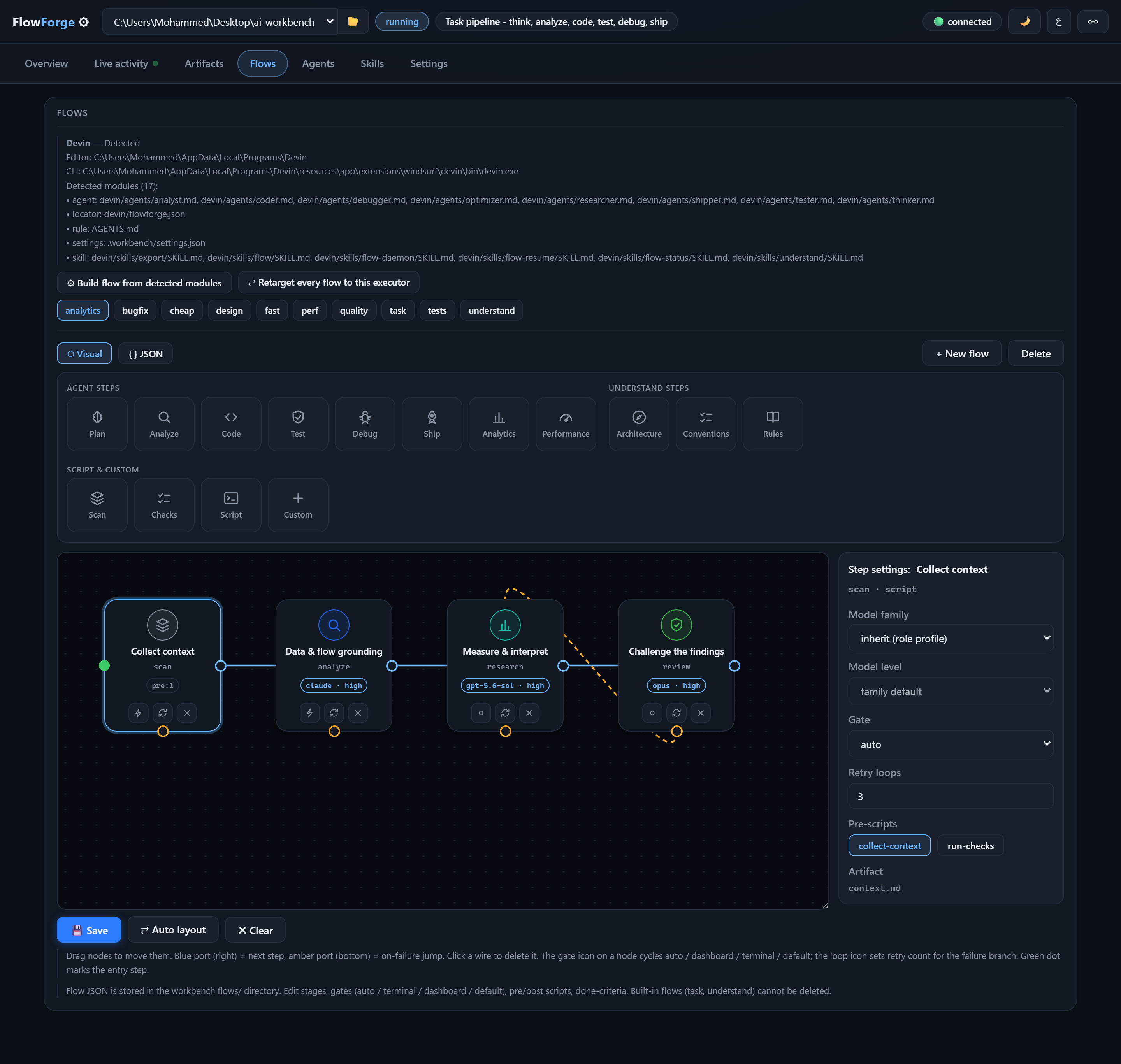
Visual flow editor

Drag labelled nodes, wire the next step and the on-failure jump, pin a model and a thinking level per stage.

🤖

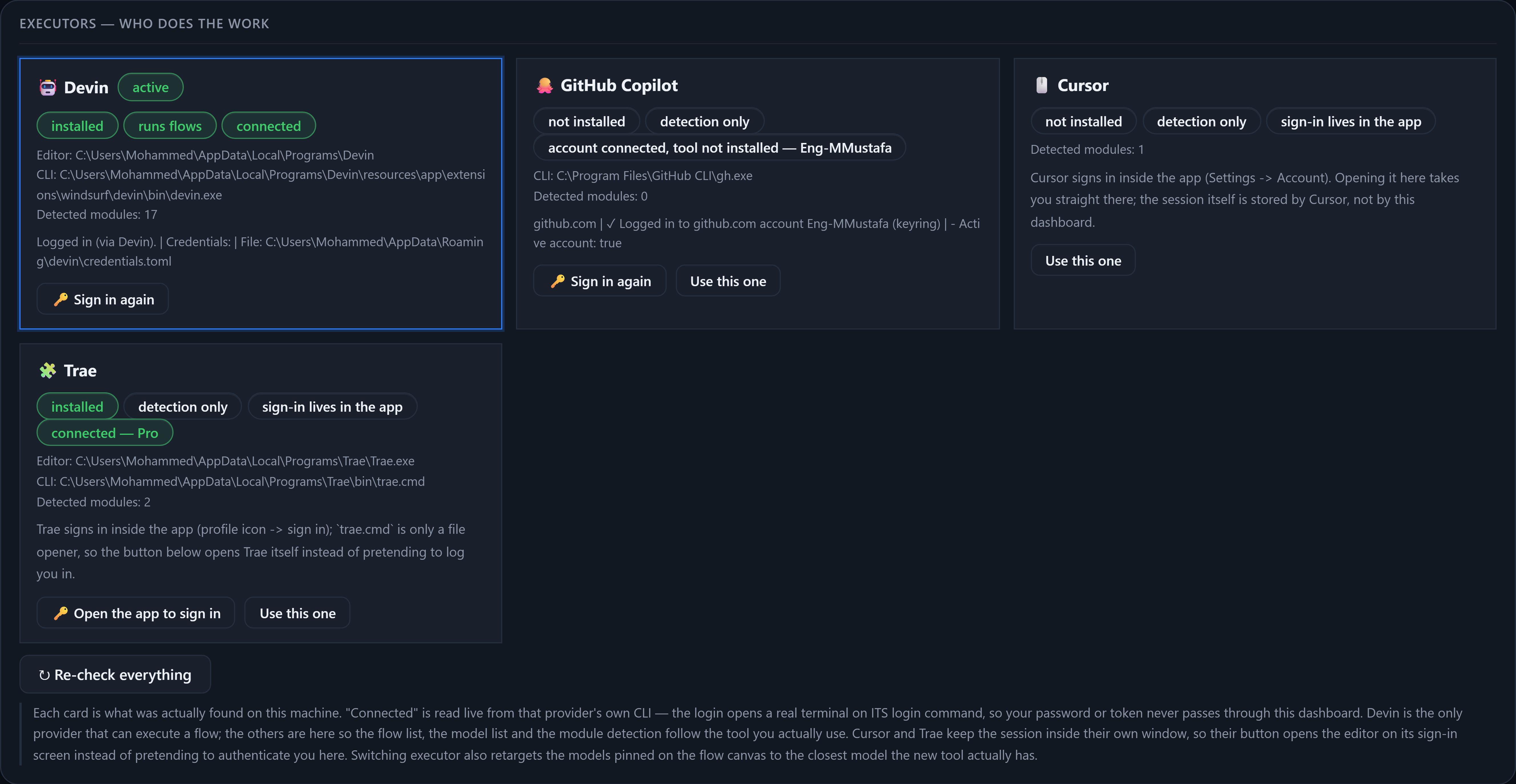
Four executors

Devin, Copilot, Cursor and Trae are detected from what is really installed, with login state read live and reported honestly.

🖥

Windows, macOS, Linux

Every OS difference lives in one file, and the test suite checks all three platforms from whichever machine runs it.

🌐

Arabic and English

The whole UI switches instantly, RTL included - and a test fails if a single string is missing in either language.

See it

Every image is the real UI, captured from a running instance.

Start in about a minute

Windows, macOS or Linux. Node 18 or newer. MIT licensed.